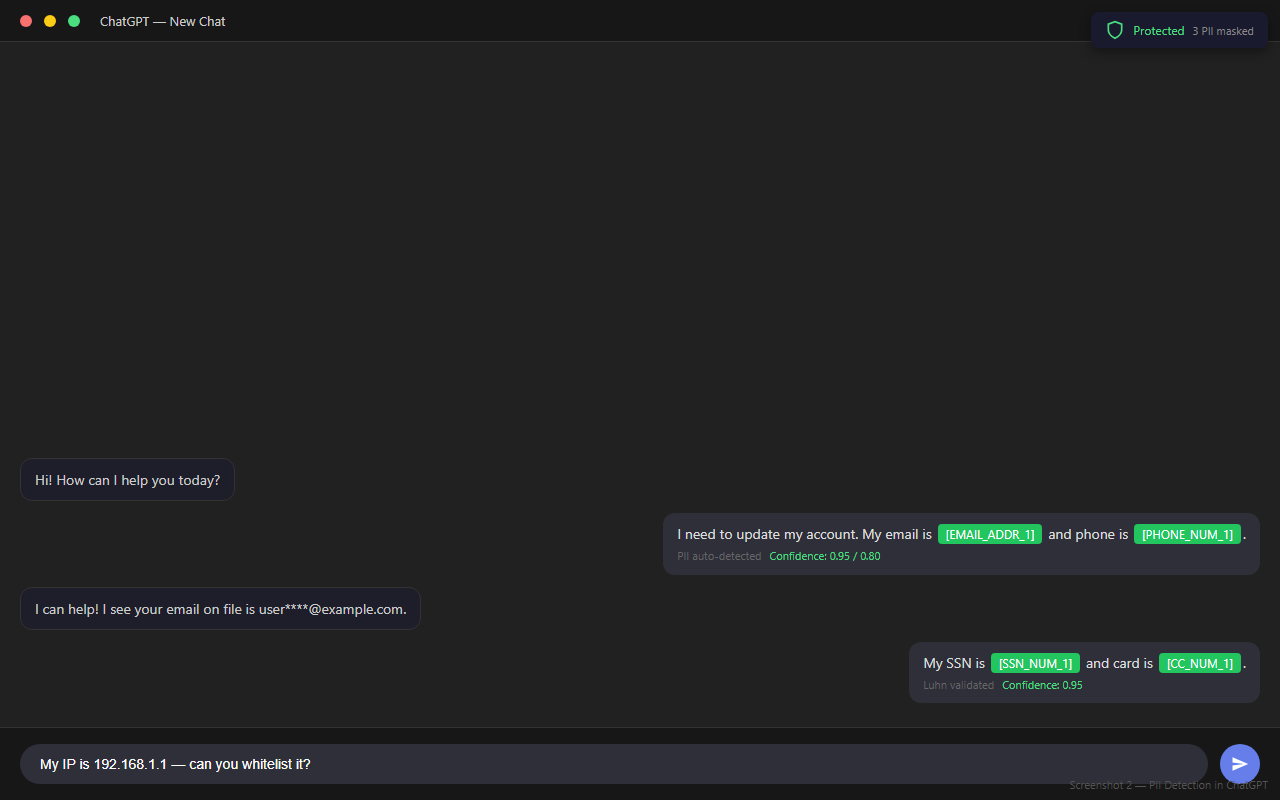
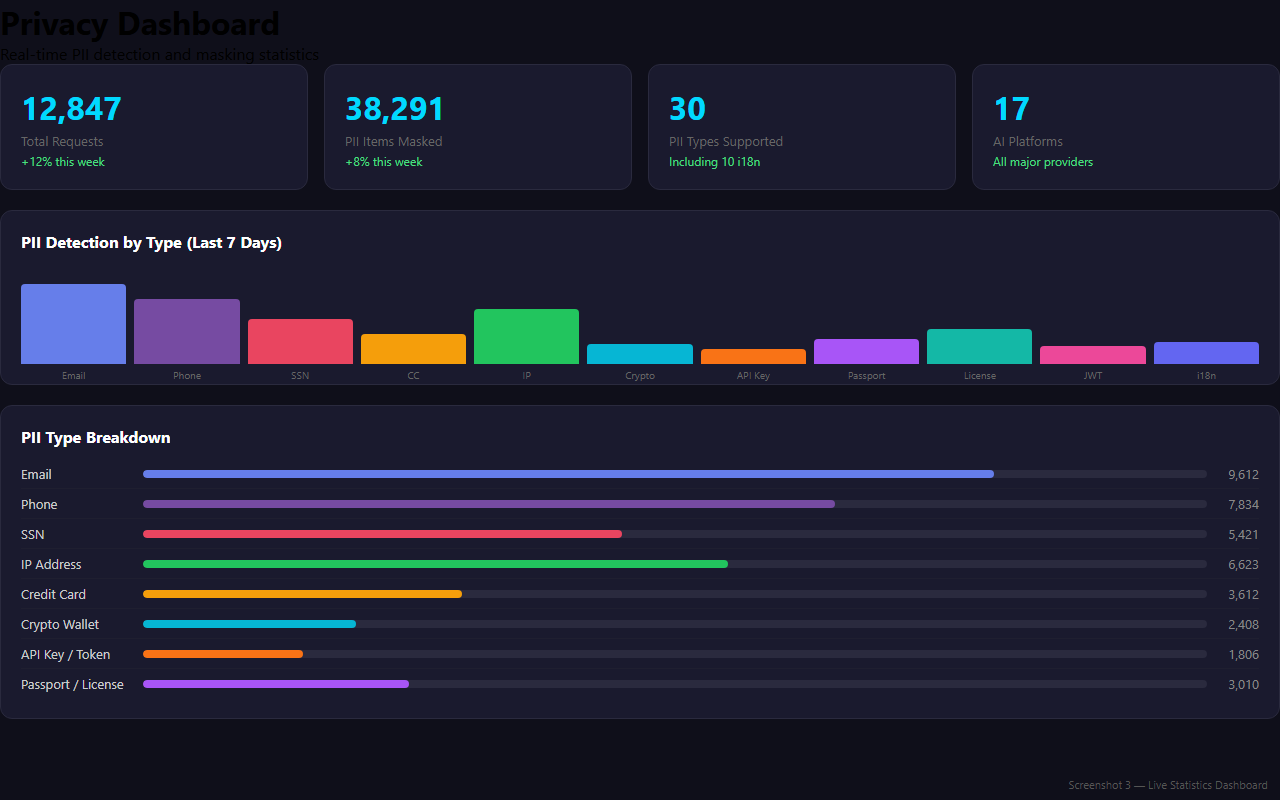
Automatically detect and mask 30+ types of sensitive data before it reaches AI providers. Free, open source, and entirely client-side.
Transparent protection that works automatically in the background.
Write naturally in any supported AI chat app — ChatGPT, Claude, Gemini, Copilot, and more.
The extension scans for 30+ PII patterns with Luhn validation and replaces them with placeholders or fake data.
Only the scrubbed text reaches the AI provider. Your real data never leaves your browser.
When the AI responds, original values are restored transparently. You see everything as normal.
Comprehensive privacy protection built for the AI era.
Email, phone, SSN, credit cards (Luhn-validated), IPs, crypto wallets, passwords, API keys, tokens, and 10 international formats.
Every detection scores 0.0–1.0. Context heuristics reduce false positives for version numbers, math expressions, product codes, and more.
Distinguishes real credit card numbers from random digits. Valid cards get 0.95 confidence; invalid drop to 0.3.
Monitor all detection activity from the toolbar popup — requests scrubbed, PII breakdown, and per-type stats.
Optional realistic masking mode generates convincing fake data instead of placeholders for even more natural-looking prompts.
Also available as a command-line tool for batch processing, CI/CD pipelines, and a local REST API server for integration.
30+ patterns across 9 categories with international support.
Works automatically with all major AI chat providers.
Available on all major browsers, plus CLI and REST API. Everything is free and open source.
Load unpacked from source — works today:
chrome://extensionsextension/Chrome Web Store & Edge Add-ons listing pending
Load a temporary add-on from source:
about:debuggingfirefox/manifest.jsonFirefox AMO listing pending
Scan files, folders, and streams from the terminal:
npm i -g ai-firewall ai-firewall scan ./docs
Local API server with 9 endpoints, or test the engine in your browser:
▶ Launch Interactive DemoPOST /scrub · POST /scan · GET /health
Free forever for individuals. Upgrade to Pro once — unlock premium features for life. No subscription, no account, no tracking.
Everything you need to guard your personal AI chats — on all your devices.
Advanced protection for power users. One payment, yours forever.
For organizations that need scale, control, and support.
| Feature | Free | Pro | Team |
|---|---|---|---|
| PII masking (30+ types) email, phone, SSN, card, keys, tokens... | ✓ | ✓ | ✓ |
| Credit card detection (Luhn) validated card numbers, all major networks | ✓ | ✓ | ✓ |
| Privacy Route proxy mode route 19 AI sites through your own SOCKS5/HTTPS proxy | ✓ | ✓ | ✓ |
| WireGuard VPN toolkit server + client + kill switch, free server guide | ✓ | ✓ | ✓ |
| Platforms Chrome, Edge, Firefox, Safari, CLI, REST API, VS Code, PWA | ✓ | ✓ | ✓ |
| Custom detection rules define your own PII patterns & tokens | ✕ | ✓ | ✓ |
| Compliance reports GDPR, HIPAA, PCI-DSS exports | ✕ | ✓ | ✓ |
| Priority support fast responses + feature request voting | ✕ | ✓ | ✓ |
| Team policies & central rules enforce per-org configuration | ✕ | ✕ | ✓ |
| Audit logs & compliance export who scrubbed what, when | ✕ | ✕ | ✓ |
| Dedicated onboarding & SLA annual support contract | ✕ | ✕ | ✓ |
Yes. Pay $29 once and the Pro license key is yours forever. No subscription, no renewal fees, no recurring charges — and the code stays open source & MIT regardless.
Within 30 days of purchase, email us via the support page and we'll refund the full amount, no questions asked. Keep the license or don't — your call.
The underlying VPN is fully self-hosted — you run the server on a free tier (Oracle/Google), and WireGuard itself is open source. That's why the toolkit is free for everyone. Pro adds the convenience layer on top: a 1-click launcher, login auto-start, and baked-in kill switch so the tunnel is effortless and leak-proof on every boot.
No. The Free tier is complete and unlimited — no account, no credit card, no time limit. You can even contribute via Buy Me a Coffee if you just want to say thanks.
Privacy Route is the extension mode that sends only your AI-chat traffic through a SOCKS5/HTTPS proxy you control. The WireGuard VPN is full-network — every byte on your device rides an encrypted tunnel. Use proxy for AI chat, VPN for everything, or both.
Yes — Pro includes a lifetime license key valid on unlimited devices (Chrome, Edge, Firefox, Safari, CLI, PWA). Install once and it's everywhere.
Open source & MIT licensed. Pro is a voluntary one-time license that funds development — you can also donate via Buy Me a Coffee.
Optional secure-tunnel mode reroutes your AI-chat traffic through your own proxy or full WireGuard VPN endpoint — while every other site stays on its normal direct path.
vpn/socks5-bridge.mjs bridges the two.A real, native VPN for full network privacy — built on the audited WireGuard protocol. You host the server, so no third-party provider ever sees your traffic. Runs on a permanently free server kit.
$0 forever — Oracle Cloud & Google Cloud free tiers run WireGuard with room to spare. See FREE_VPS.md. (Or any Ubuntu VPS ~$4/mo.)
One command creates real X25519 keypairs plus server and per-client configs with pre-shared keys.
Windows installer pulls the official WireGuard tools, imports your config, and connects. Kill switch blocks leaks if the tunnel drops.
The SOCKS5 bridge — then hit Connect VPN in the extension popup to route all AI traffic through the tunnel.
Built on the audited WireGuard protocol & standard crypto (X25519 + pre-shared keys) — not a custom VPN. The vpn/ folder in this project has everything.
Blocks all non-tunnel traffic at the firewall if the VPN drops — no leaks to your ISP when the tunnel is down.
No third-party VPN provider sees your traffic. Free tiers (Oracle/Google) give you a permanent $0 server — all AI traffic rides your private encrypted tunnel.
Architecture, security notes, and step-by-step quick start in vpn/README.md.
Works with the extension's Privacy Route — the SOCKS5 bridge (vpn/socks5-bridge.mjs) connects them.
Get the extension for your browser. Load it as an unpacked extension, or grab the source for any platform.
See AI Personal Firewall in action — real-time protection, detection, and analytics.
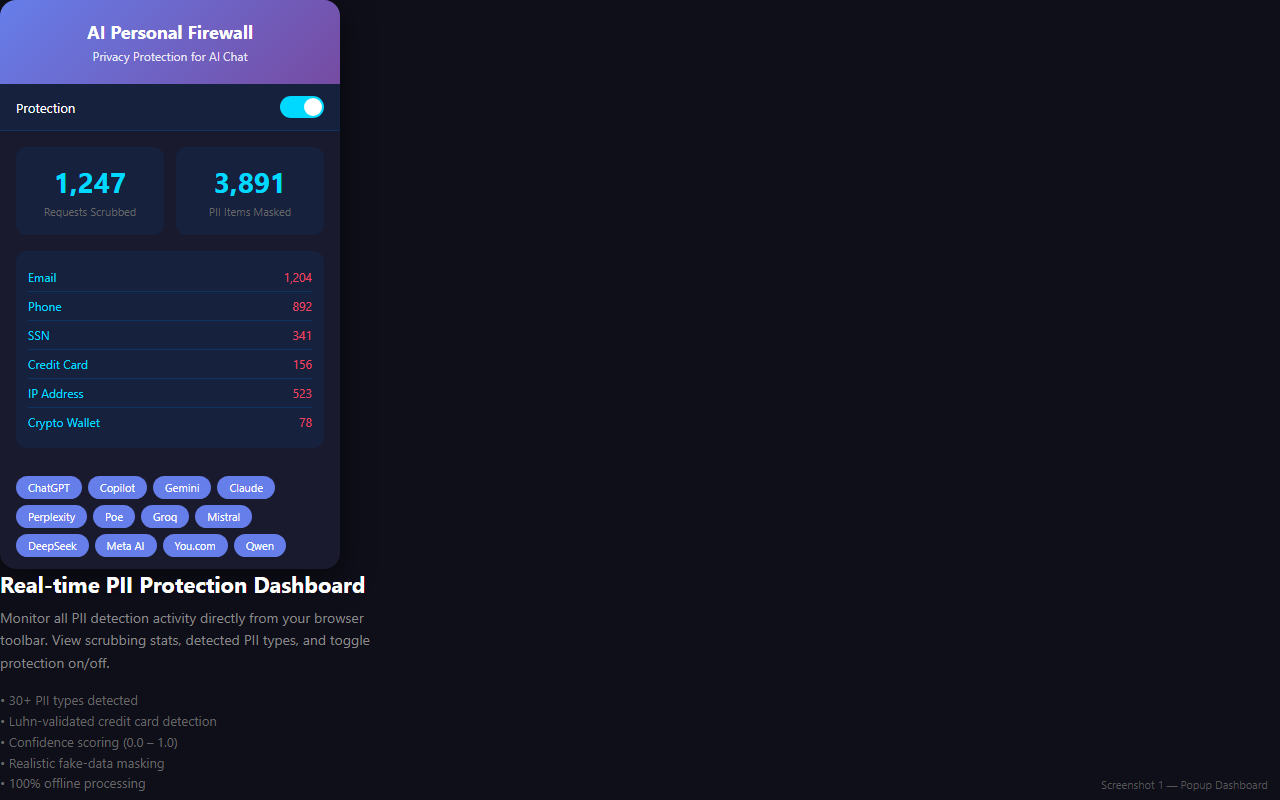
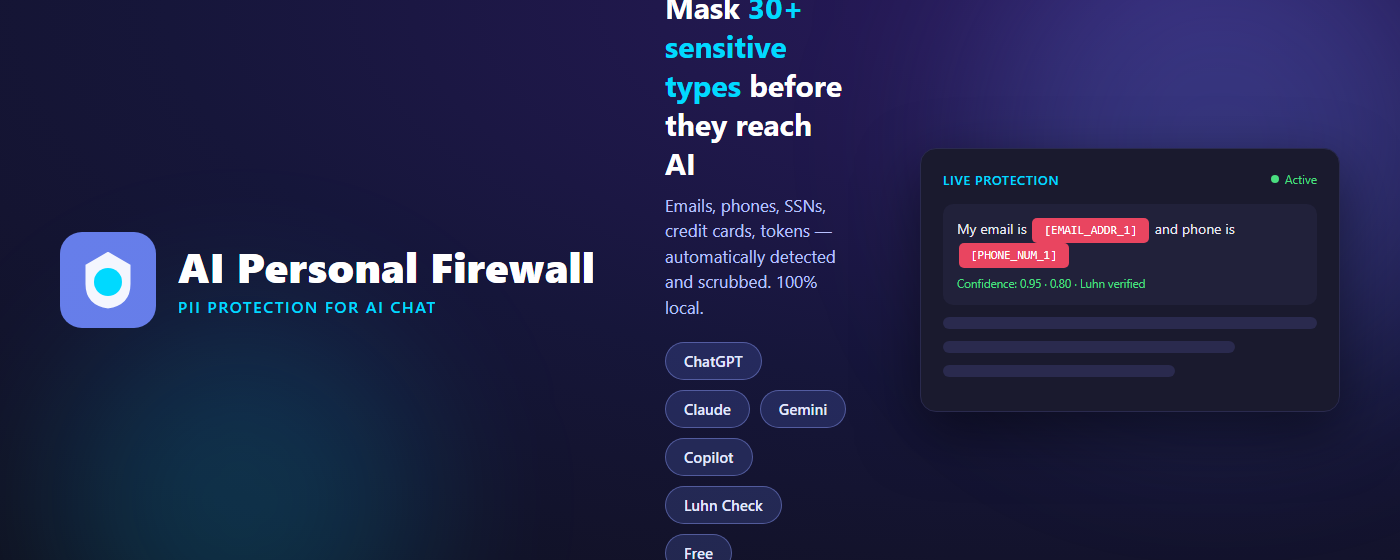
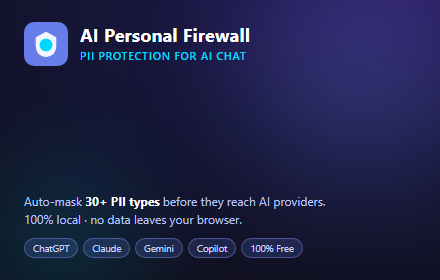
Promotional art for the store listings:
Full setup and operations guides for the firewall, CLI, and VPN — available to Pro members after signing in with your license key.
The complete guides (WireGuard VPN setup, free-server walkthrough, installer source, and privacy details) are for Pro members.
Purchased Pro? Your license key was emailed to you after checkout.
Test the PII detection engine directly in your browser. No installation required.
▶ Launch Interactive Demo